How do I create my own trends?
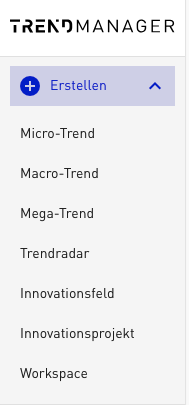
As a manager, from the Radar module onward you have the option of creating your own trends and extending the TRENDONE Trend Universe with company-specific content. This lets you adapt the Trend Universe optimally to your needs. You can now create new trends directly via the plus symbol in the navigation. Of course, it is still possible to create trends via the admin area.
Your own Mega Trends
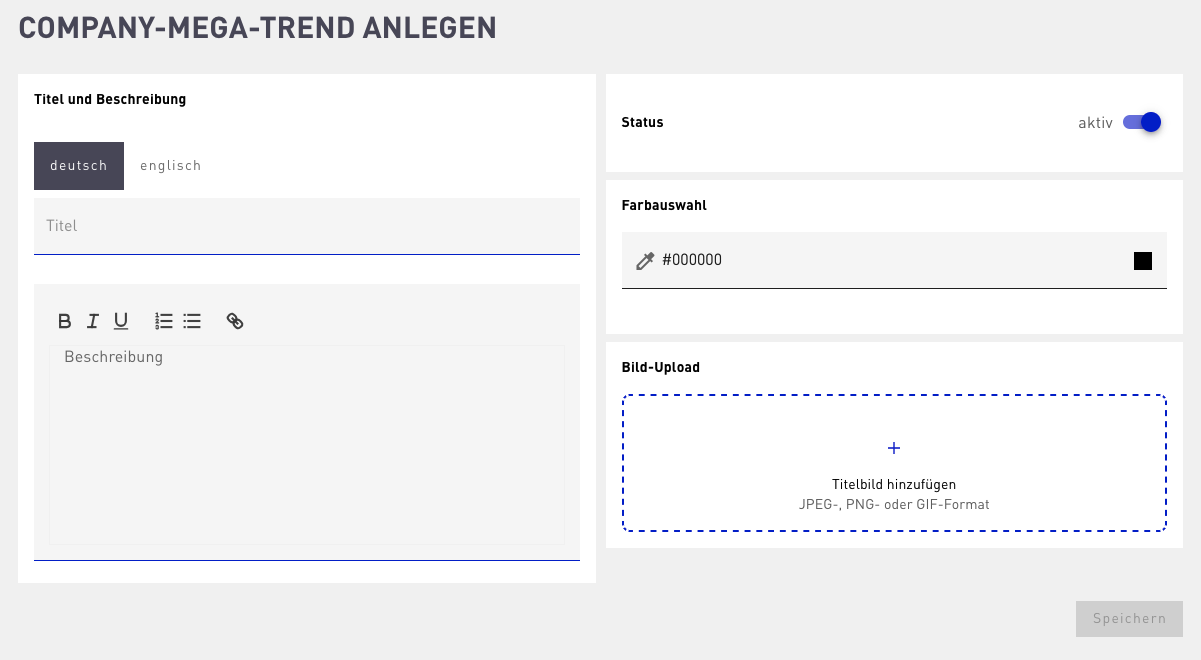
To create a Mega Trend you only need a title and a short description. In addition, upload a suitable image that visually supports the trend and choose a color for better differentiation.
Your own Macro Trends
To create a Macro Trend, provide a title and a description, upload an image, and assign the trend to the matching Mega Trend. In addition, you can define search parameters to automatically link the Macro Trend with relevant Micro Trends. For this, the full-text search and filters such as industries, regions, or innovation types are available to you. If the new Macro Trend is about „e-mobility“, for example, you could combine the keyword „electric“ with the industry „Transportation & Mobility“.
In addition, your Macro Trends can be extended with the same elements that our TRENDONE trends also contain, such as drivers that reinforce the trend, as well as challenges & opportunities that can be created specifically for individual industries.

Your own Micro Trends
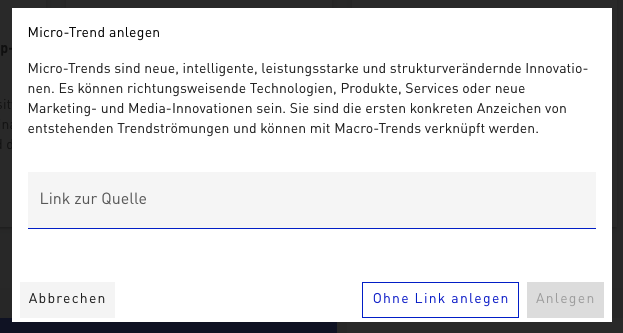
You can also easily create Micro Trends yourself. To do this, as with the Mega and Macro Trends, click the plus symbol at the top left. For a Micro Trend you provide a title, a description, and an image. You can also insert a link that serves as a source, as well as store additional information such as the country of origin or initiators of the trend. Micro Trends can be assigned to one or several Macro Trends and additionally assigned to an industry and an innovation type.
By creating your own trends, you can integrate content into your work that is particularly topic- or industry-specific and is not represented in the TRENDONE Trend Universe. You can then also use these own trends in your Trendradars to get an even more individual and practical picture of your innovation landscape.