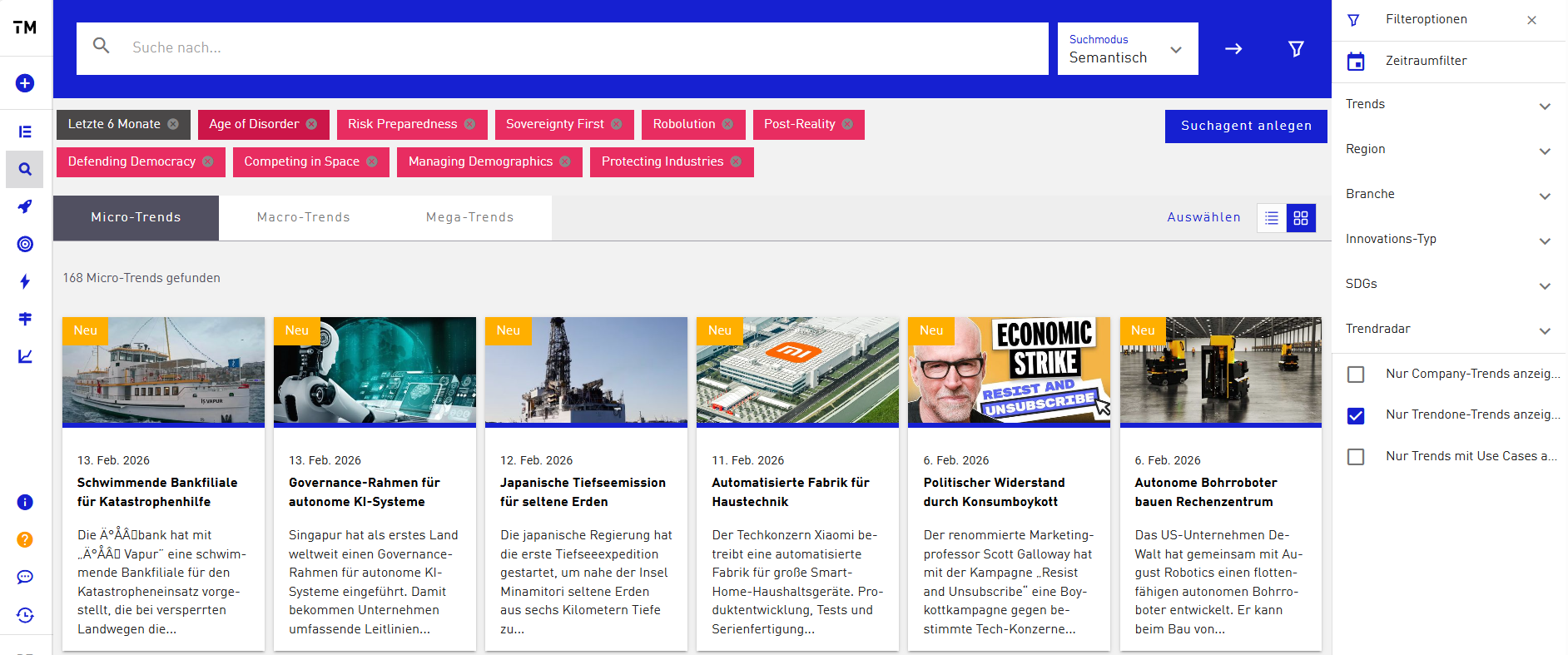
Which filter options are there and what are they for?
To find your way around the Trendfinder better and specifically identify relevant developments in the large Trend Universe, various filter options are available at the top right next to the search bar. With these you can narrow down trends by topics, regions, industries, innovation types, SDGs, or Trendradars, among others. In addition, there is a time-period filter with which you can specifically display trends within a particular time window. Since our trend database has existed for over 20 years and no content is deleted, the number of available trends is correspondingly large. To capture the most current developments faster, it is advisable to set the time-period filter to one or two years. This gives you a precise overview of the newest and most relevant trends.
In addition, with further filter options you can narrow the display to only company trends, only TRENDONE trends, or only trends with use cases. This way, content can be selected even more specifically for the respective question. Trends with use cases are trends that are already backed by concrete practical application examples. These can be, for example, pilot projects, products, or services from companies that illustrate the trend. These use cases make trends particularly tangible, as they show how innovations are actually implemented.
An important note: in principle, no trends are deleted. However, only the current Trend Universe (TU) is available to you at any time. This means you have access to all around 60,000 Micro Trends, but not to all older Macro and Mega Trends.